Promotions & Discounts
Coupons, tier pricing, affiliate programs, and customer announcements.
Watch this walkthrough for a quick overview of the workflow.
In plain words
Promotions are the levers you pull to make people buy: a code, a bulk price, a reward for bringing friends, a message to everyone. This page is the overview; each lever has its own page with the details.
Coupons
Create and manage discount coupons for promotions.
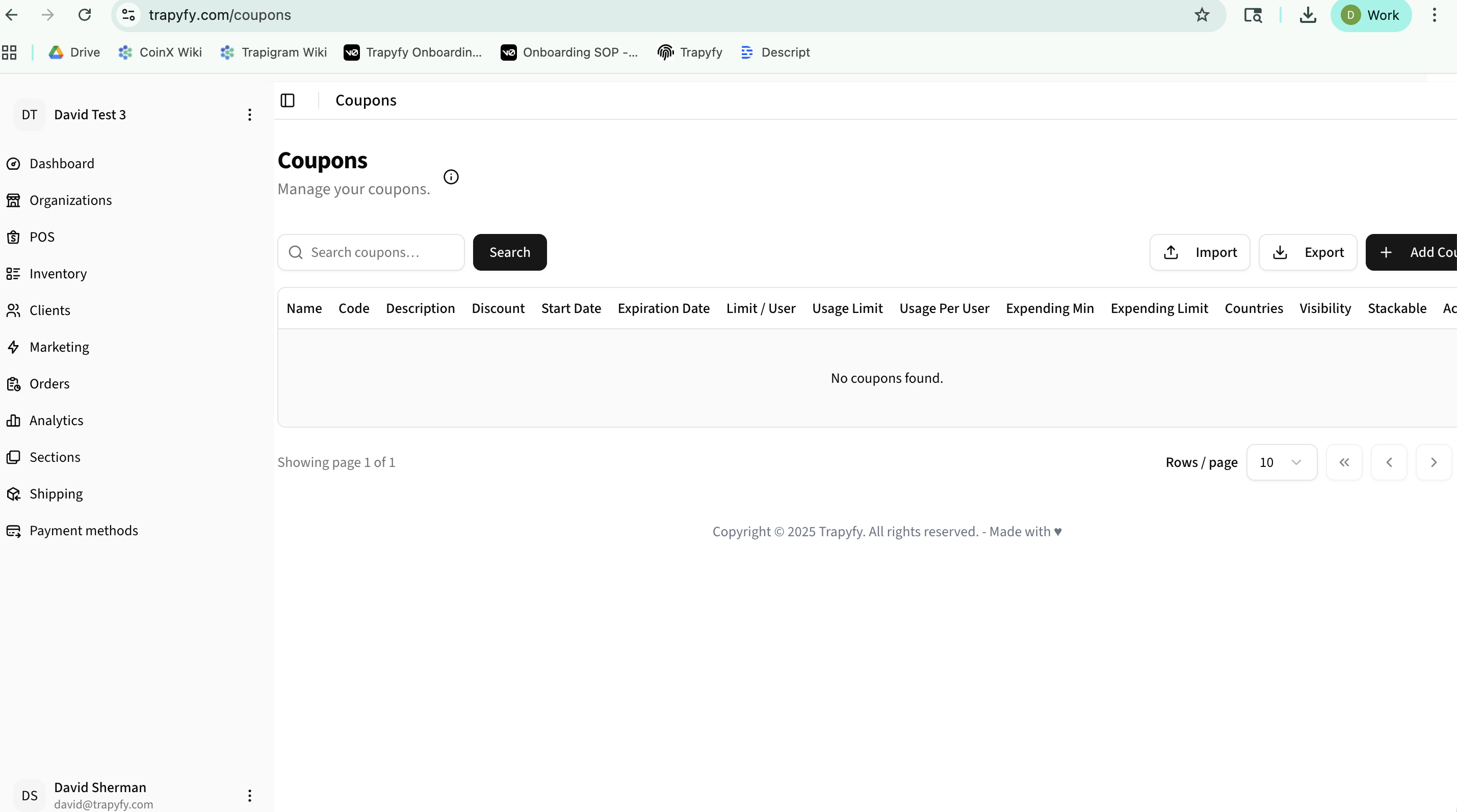
Creating a Coupon
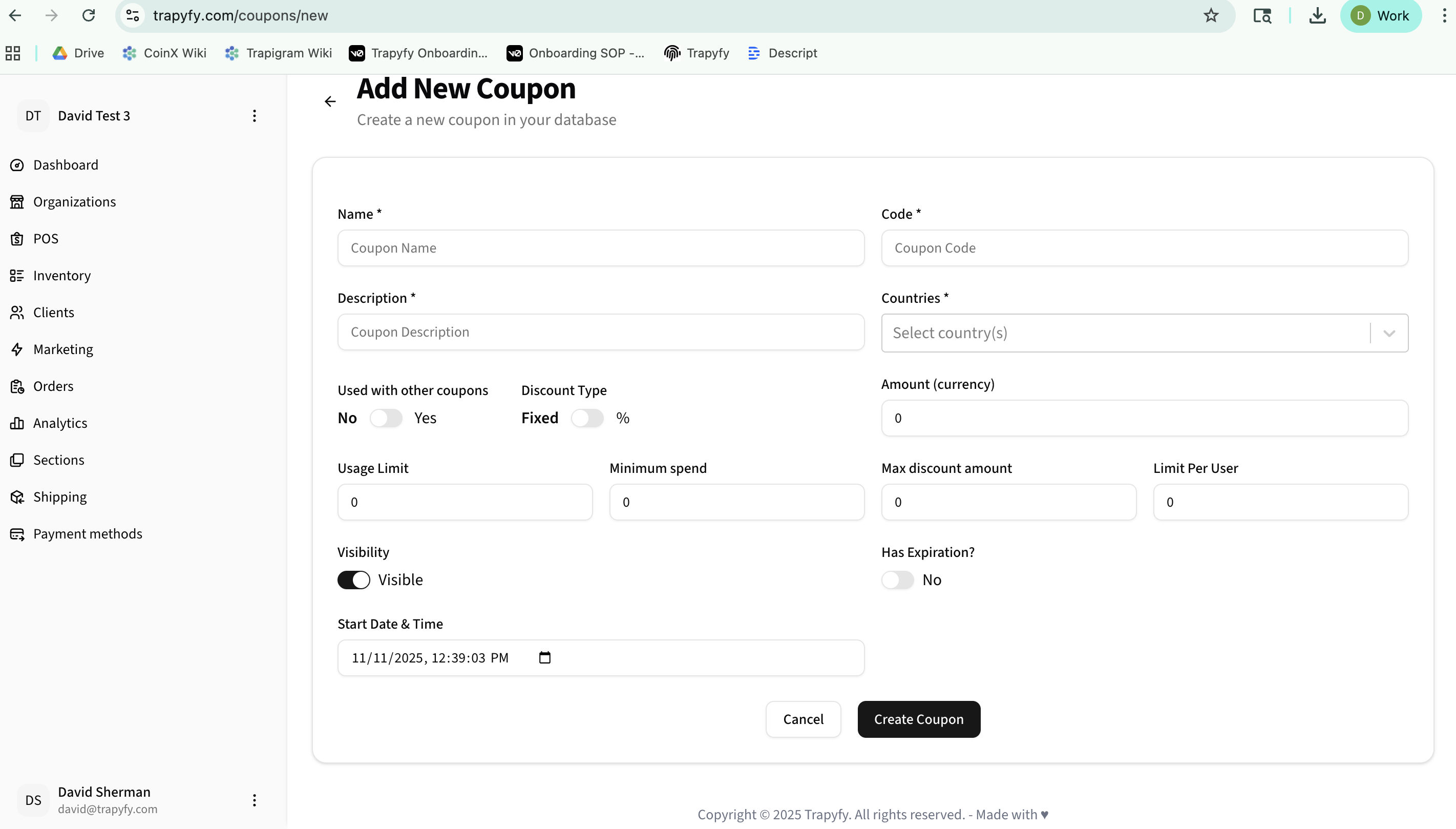
- Click "Add Coupon" button
- Enter coupon name and unique code
- Add description and select countries
- Choose discount type (Fixed or Percentage)
- Set amount, usage limits, and minimum spend
- Configure visibility and expiration date
- Click "Create Coupon"
Key Features:
- Search and filter coupons
- Import/Export coupon lists
- Set usage limits per user
- Country-specific targeting
- Schedule coupon availability
Tier Pricing
Create quantity-based price rules for bulk purchases. Managed under Marketing → Tier pricing.
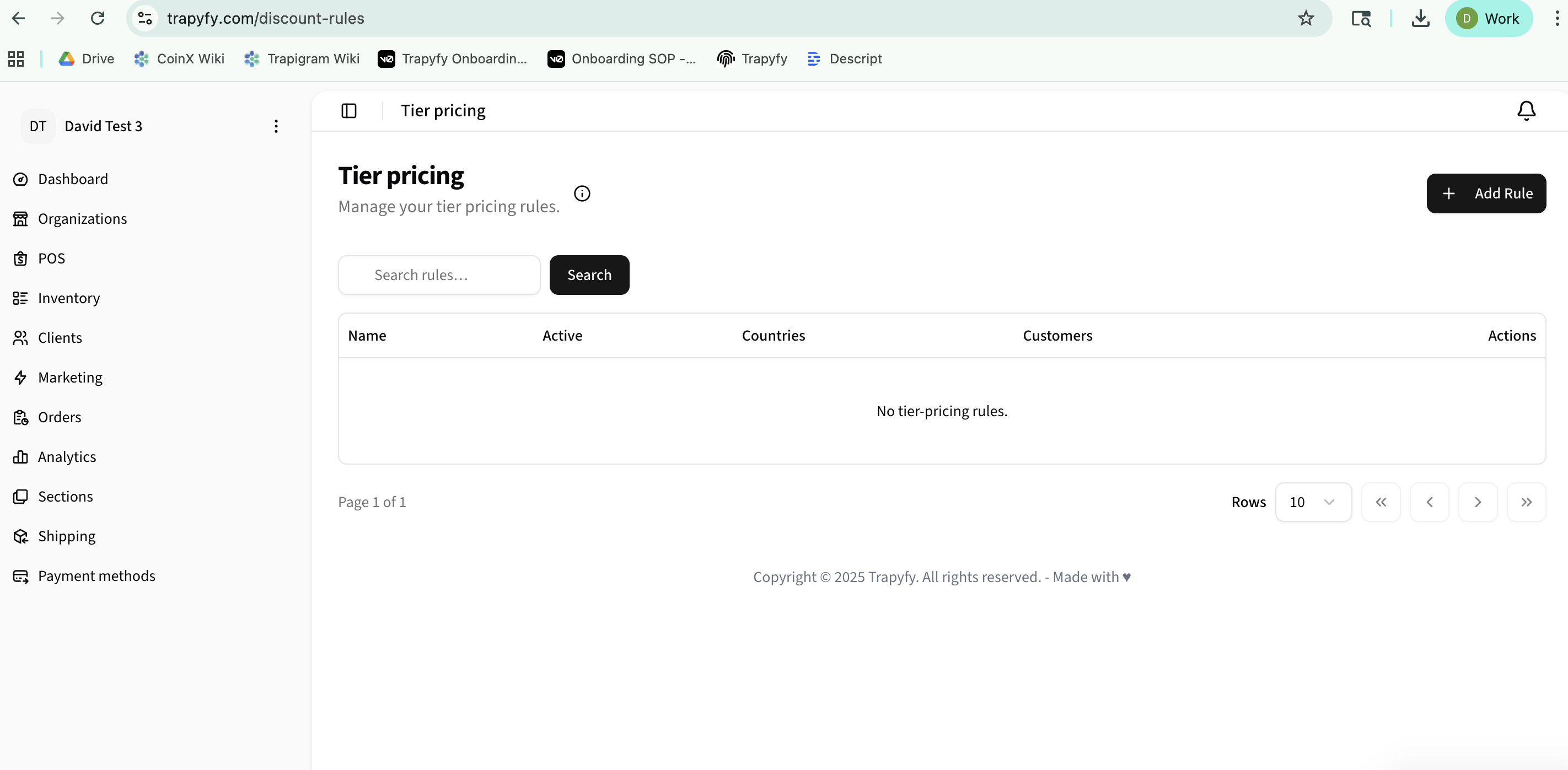
Creating a Tier Price Rule
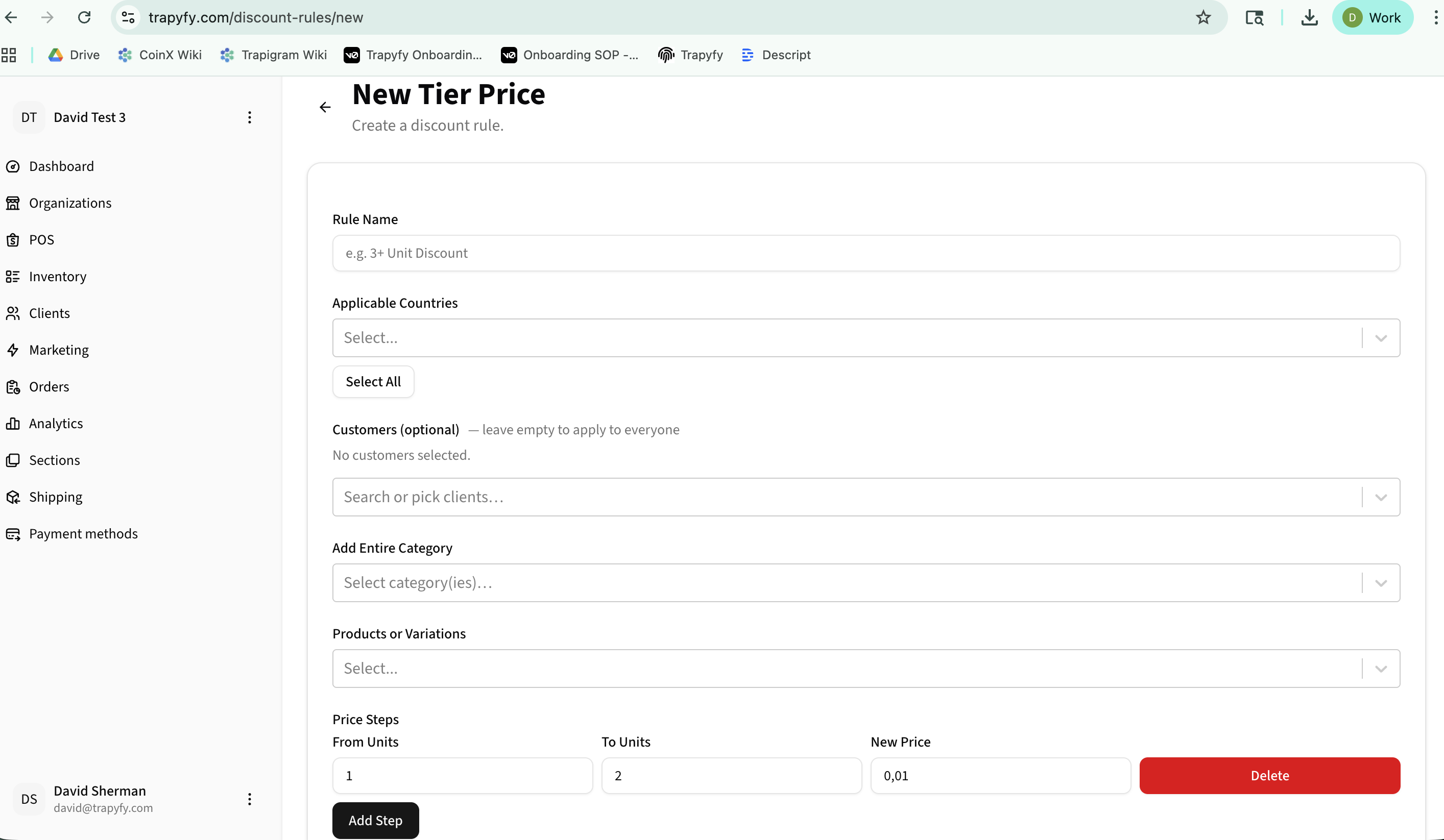
- Click "Add Rule"
- Enter rule name (e.g., "3+ Unit Discount")
- Select applicable countries or choose "Select All"
- Optionally target specific customers
- Add entire categories or specific products
- Define price steps (From Units, To Units, New Price)
- Click "Add Step" for multiple tiers
Example:
Buy 1-2 units at full price, 3-5 units at €0.90, 6+ units at €0.80
Note: Tier pricing is separate from country pricing and does not replace product pricing. Test tier pricing with the relevant country, product or variation, and quantity range before launch. Merchants should confirm tier pricing does not conflict with coupons, margin requirements, or shared product restrictions.
Affiliate Levels
Create loyalty tiers with point requirements and rewards.
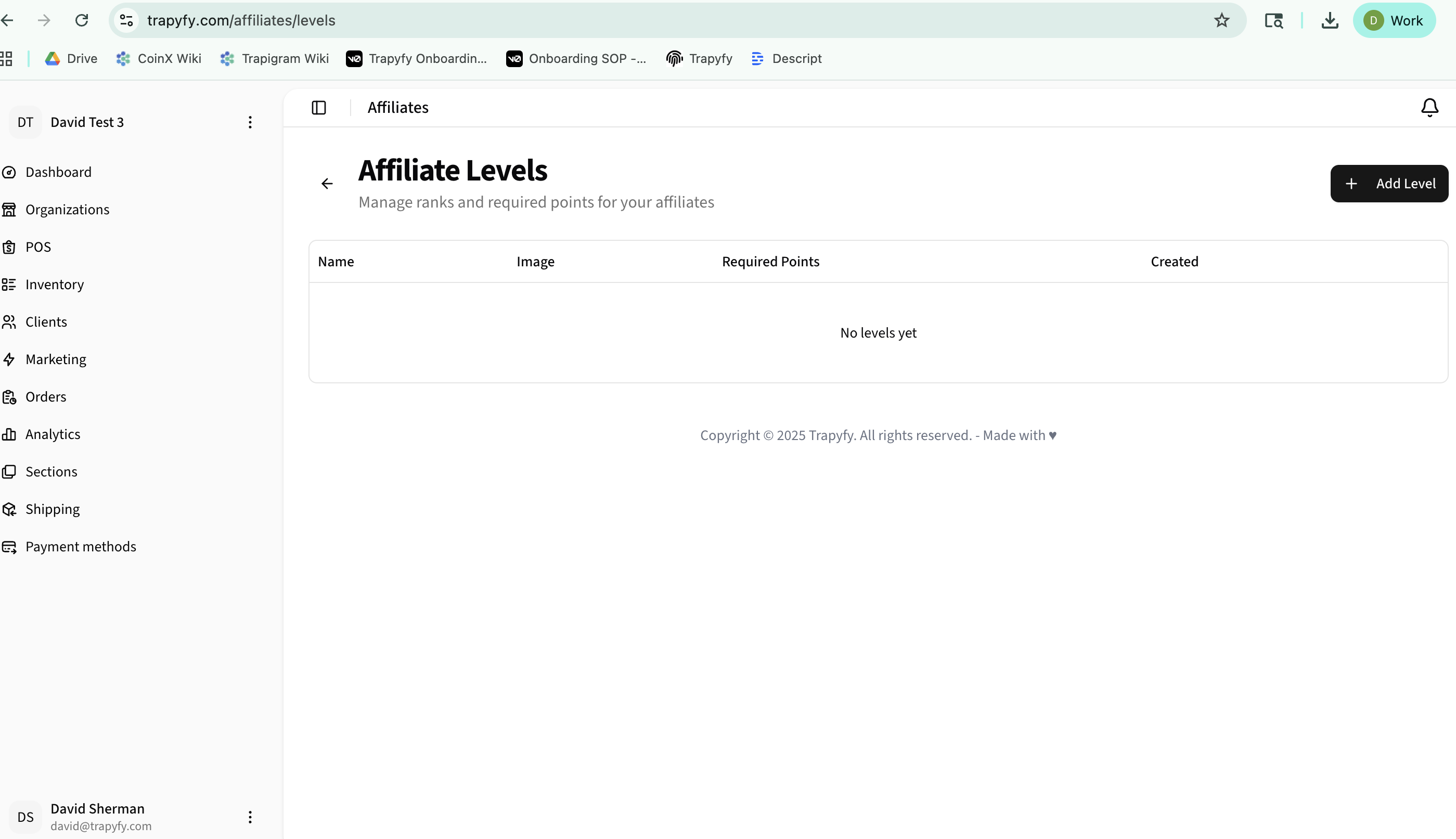
Creating an Affiliate Level
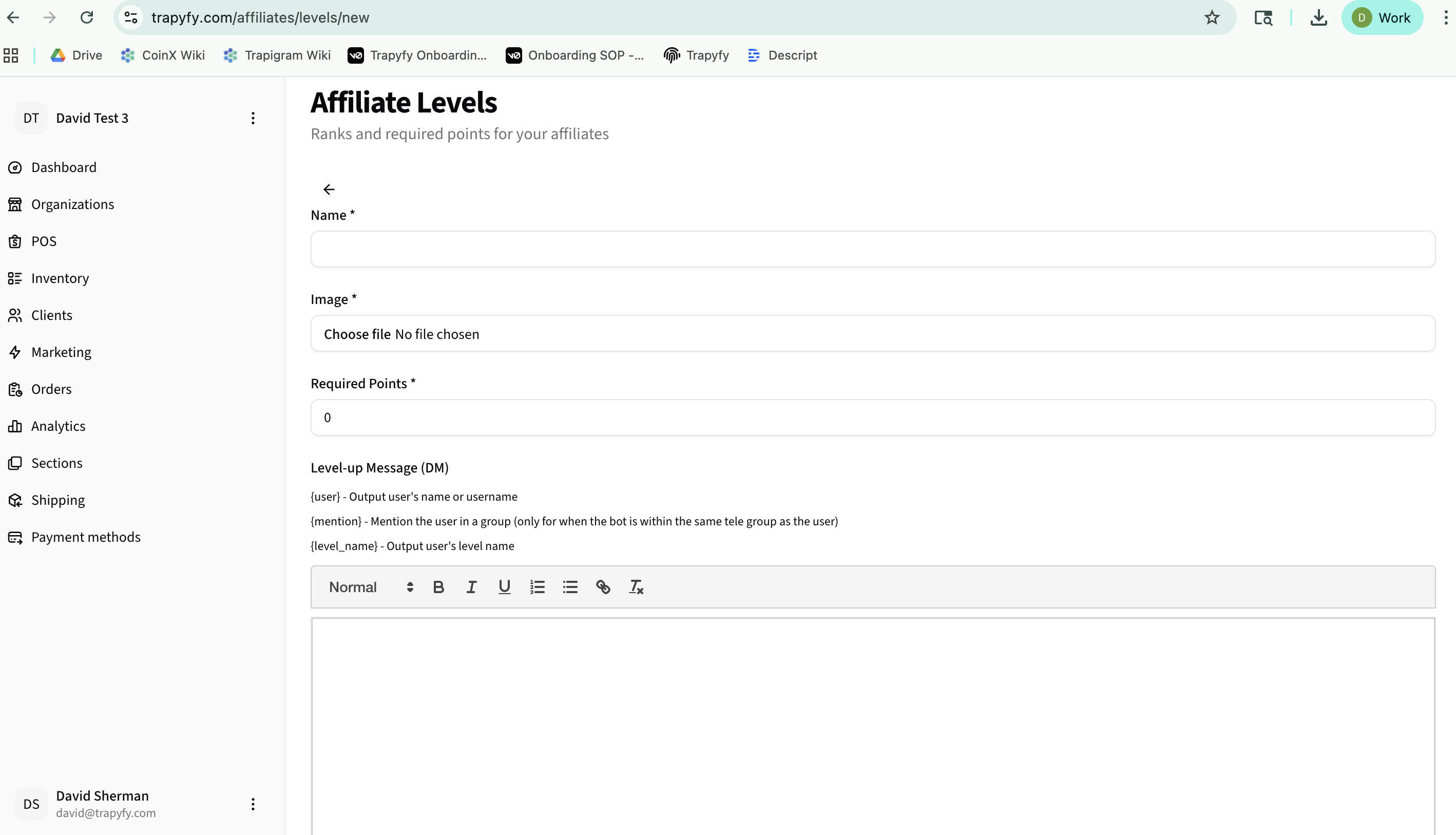
- Click "Add Level"
- Enter level name (e.g., "Bronze", "Silver", "Gold")
- Upload an optional image/badge
- Set required points to reach this level
- Customize level-up message with variables like {user}, {mention}, {level_name}
- Click "Save Level"
Configuring Level-up Messages
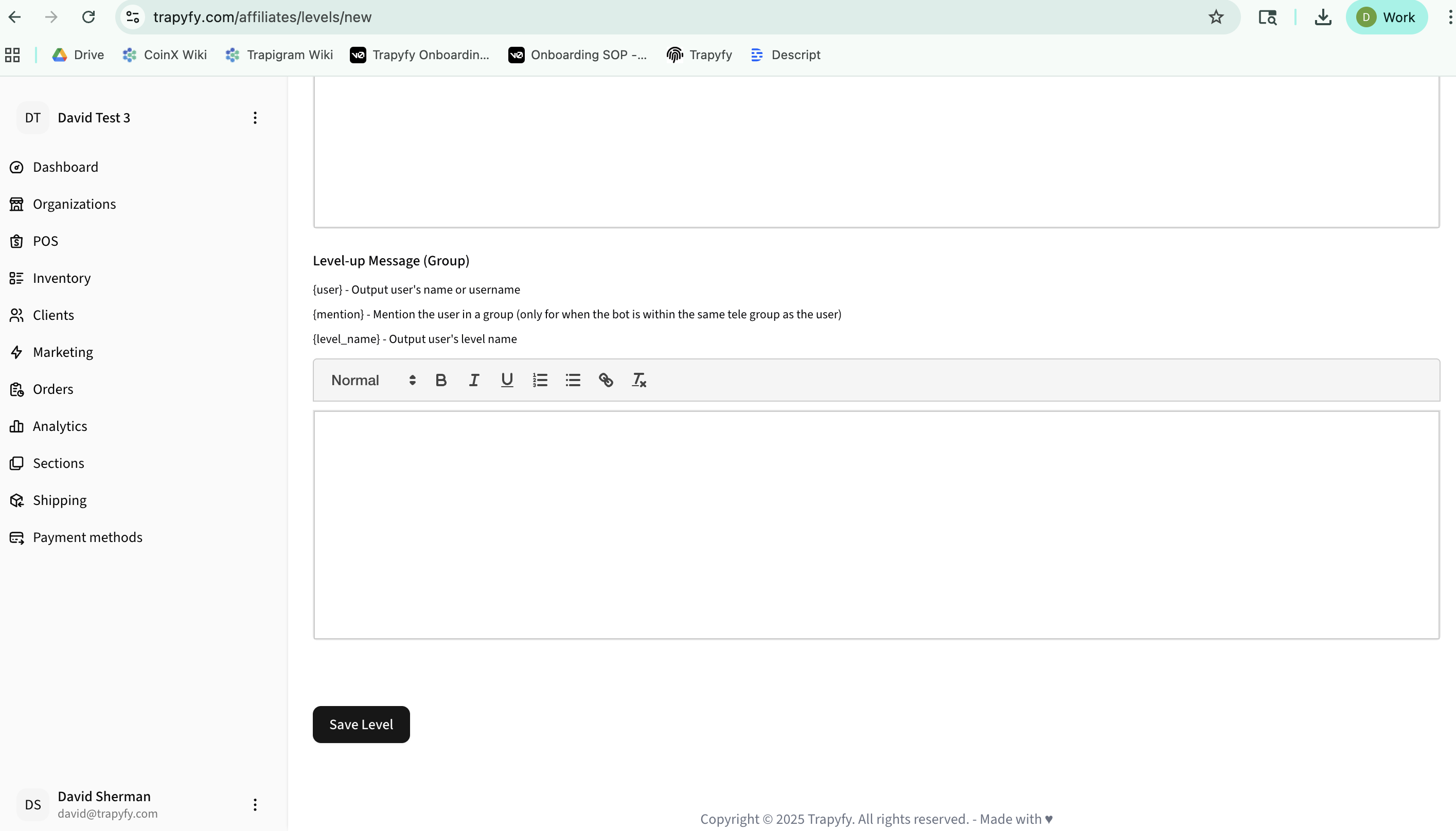
Create customized messages that are automatically sent when users reach a new affiliate level. You can configure separate messages for direct messages and group announcements.
Level-up Message (DM)
Sent directly to the user when they reach the level. Use the rich text editor to format your message and include dynamic variables.
Level-up Message (Group)
Announces the level-up in a group chat (only works when the bot is in the same Telegram group as the user).
Available Variables:
- {user} - Outputs user's name or username
- {mention} - Mentions user in group messages
- {level_name} - Outputs the level name
Announcements
Send site-wide announcements to customers by country.
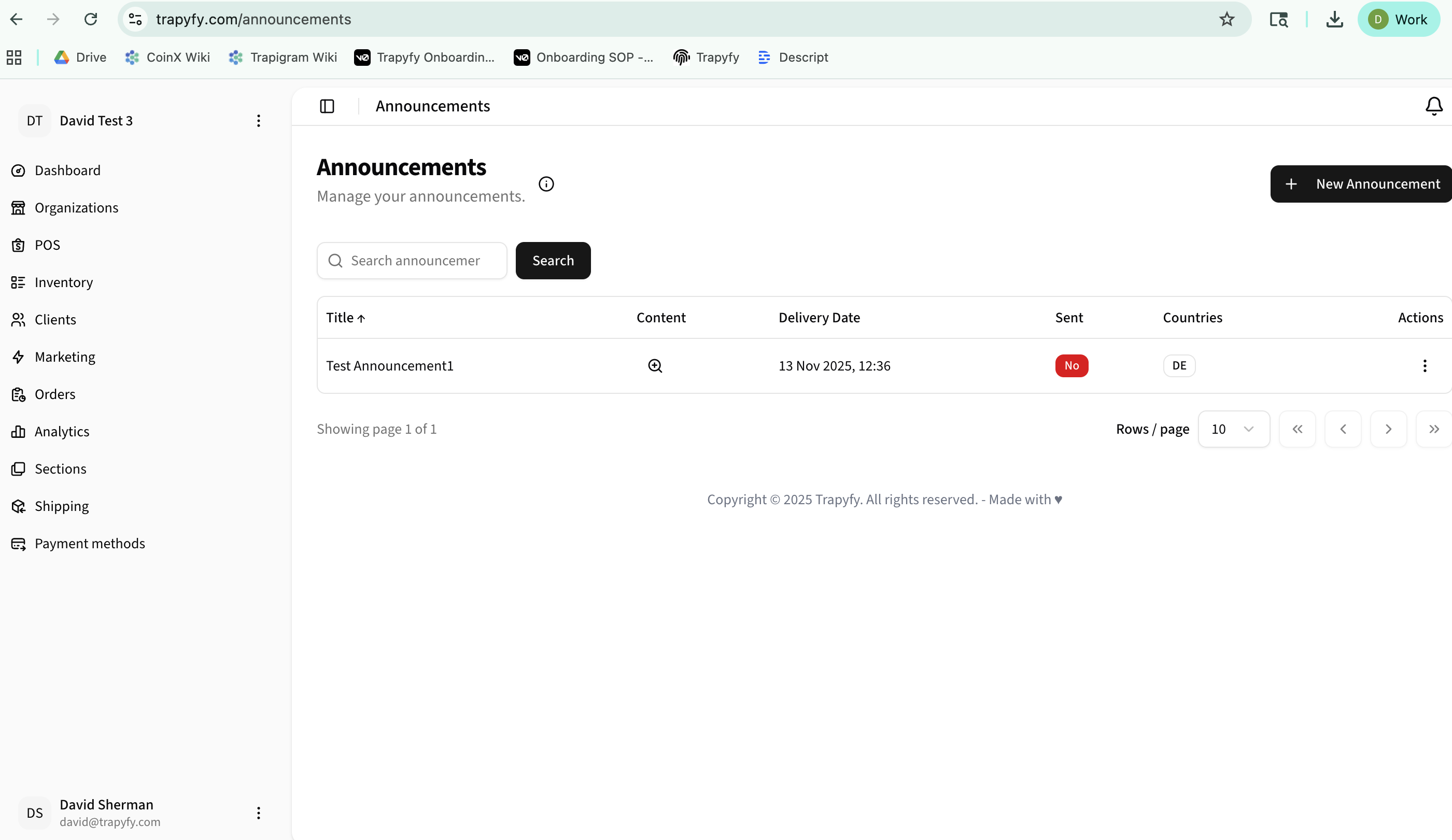
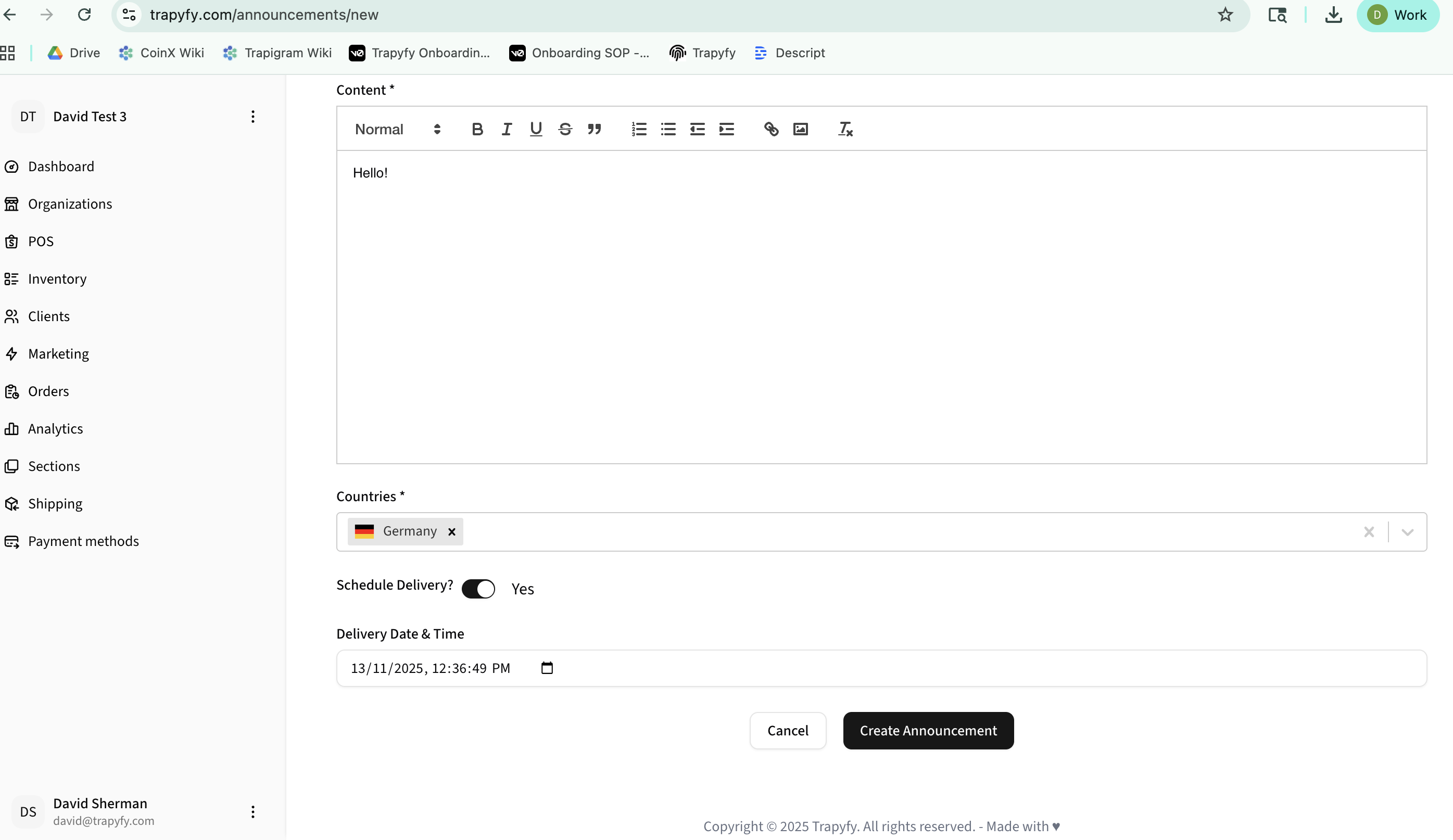
Creating an Announcement
- Click "New Announcement"
- Compose your message using the rich text editor
- Select target countries from the dropdown
- Toggle "Schedule Delivery" to send immediately or schedule for later
- If scheduled, set the delivery date and time
- Click "Create Announcement"
Tips:
- Use formatting tools to make announcements stand out
- Schedule announcements for optimal times
- Target specific countries for localized messages
- View sent status and delivery dates in the table
Quick Reference
Coupons
Fixed or percentage discounts with usage limits and expiration dates
Tier Pricing
Volume discounts based on quantity purchased
Affiliate Levels
Point-based loyalty tiers with custom rewards
Announcements
Scheduled site-wide messages to customers