
Shipping Setup
Configure shipping methods and delivery options for your fulfillment workflow.
Checkout will fail or show no delivery option if no shipping method is active for the customer's country. Configure and test at least one method before going live.
In plain words
Shipping has two halves. A shipping method is the choice your customer sees at checkout (how fast, how much, where to); a shipping company is the firm that actually carries the parcel. This page is where you build the choices, so nobody can order something you cannot deliver.
Why this matters
- Shipping options directly affect checkout conversion
- Tiered pricing encourages larger orders
- Carrier assignment enables order tracking visibility
- Regional configuration ensures accurate delivery estimates
Watch this walkthrough for a quick overview of the workflow.
Shipping Methods
Shipping methods define the delivery options customers see at checkout. A shipping method may include pricing rules or tiers where supported, but the most important requirement is that the method is active for the customer's selected country and matches the merchant's fulfillment setup.
- Shipping methods are what customers see and select at checkout.
- Shipping companies are carriers or internal carrier references used for tracking.
- Shipping methods must be active for the selected customer country.
- Product stock should exist in a warehouse that supports the customer's country.
- Checkout may fail or show no delivery option if no valid shipping method exists for the customer's country.
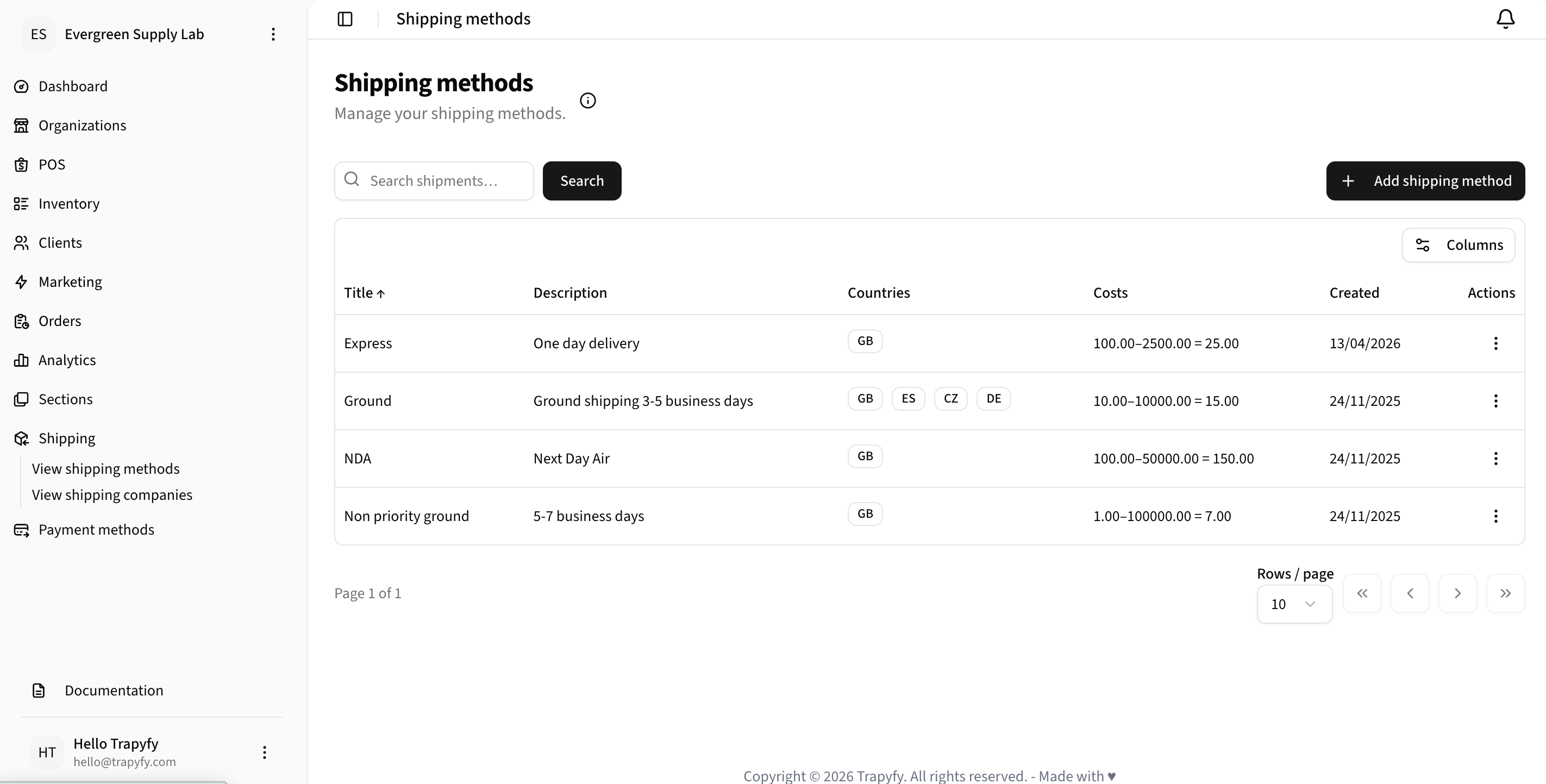
Shipping methods define the delivery options customers can select at checkout, including country coverage and cost ranges.
Creating a Shipping Method
To add a new shipping method, click the "Add shipping method" button and configure:
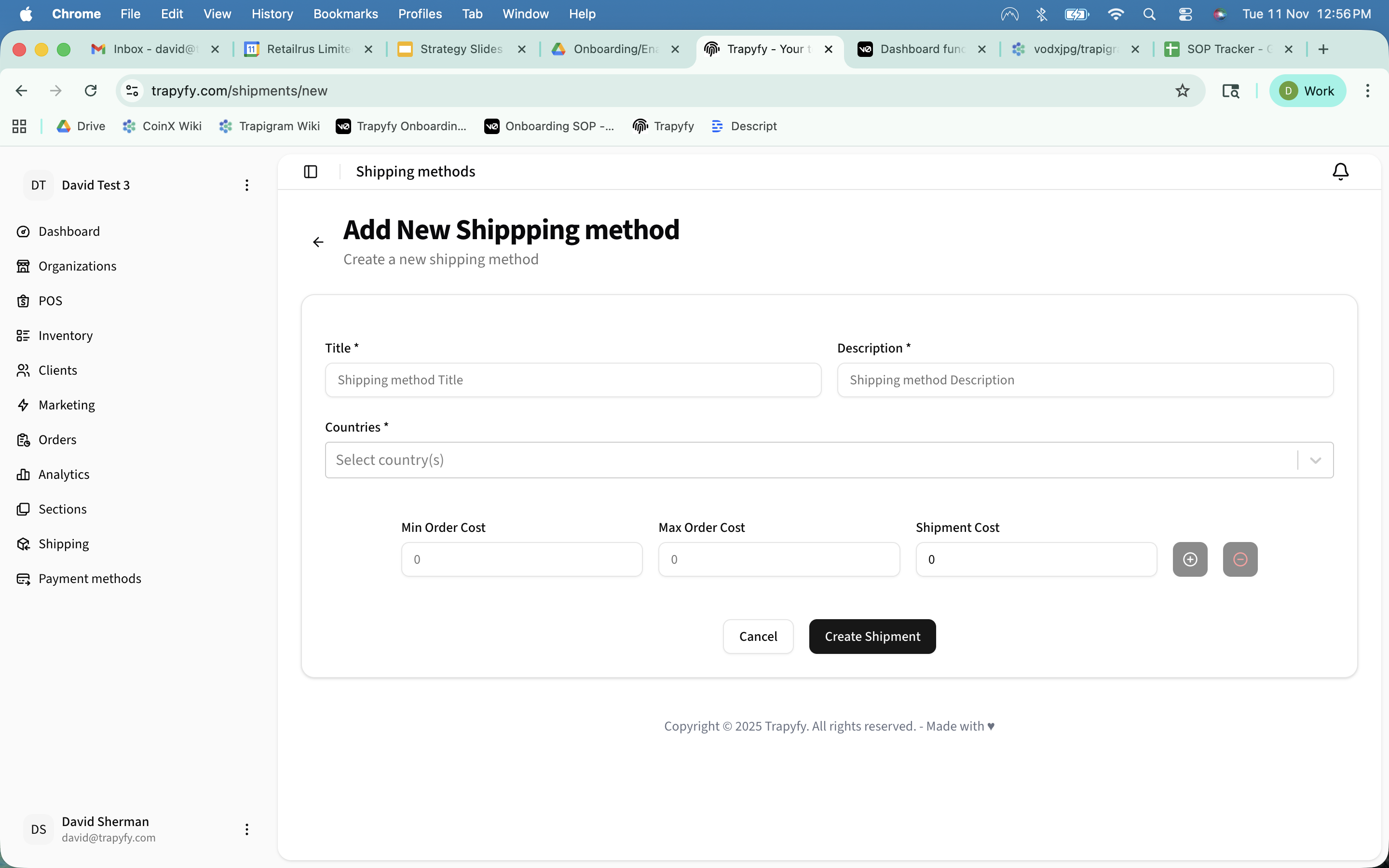
- Title: Name of the shipping method (e.g., "Ground", "Express")
- Description: Brief description of the delivery time (e.g., "3-5 day delivery")
- Countries: Select which countries this method is available for
- Cost Tiers: Configure pricing based on order value:
- Min Order Cost: Minimum order value for this tier
- Max Order Cost: Maximum order value for this tier (0 for unlimited)
- Shipment Cost: Shipping fee for orders in this range
Example: Create a "Standard Shipping" method with tiered pricing: $5.99 for orders $0-$50, $2.99 for orders $50-$100, and free shipping for orders over $100.
Shipping Companies
Shipping companies represent carrier services (like FedEx, DHL, UPS) that you use to fulfill orders. When an order is shipped, you can assign a tracking number and select the carrier.
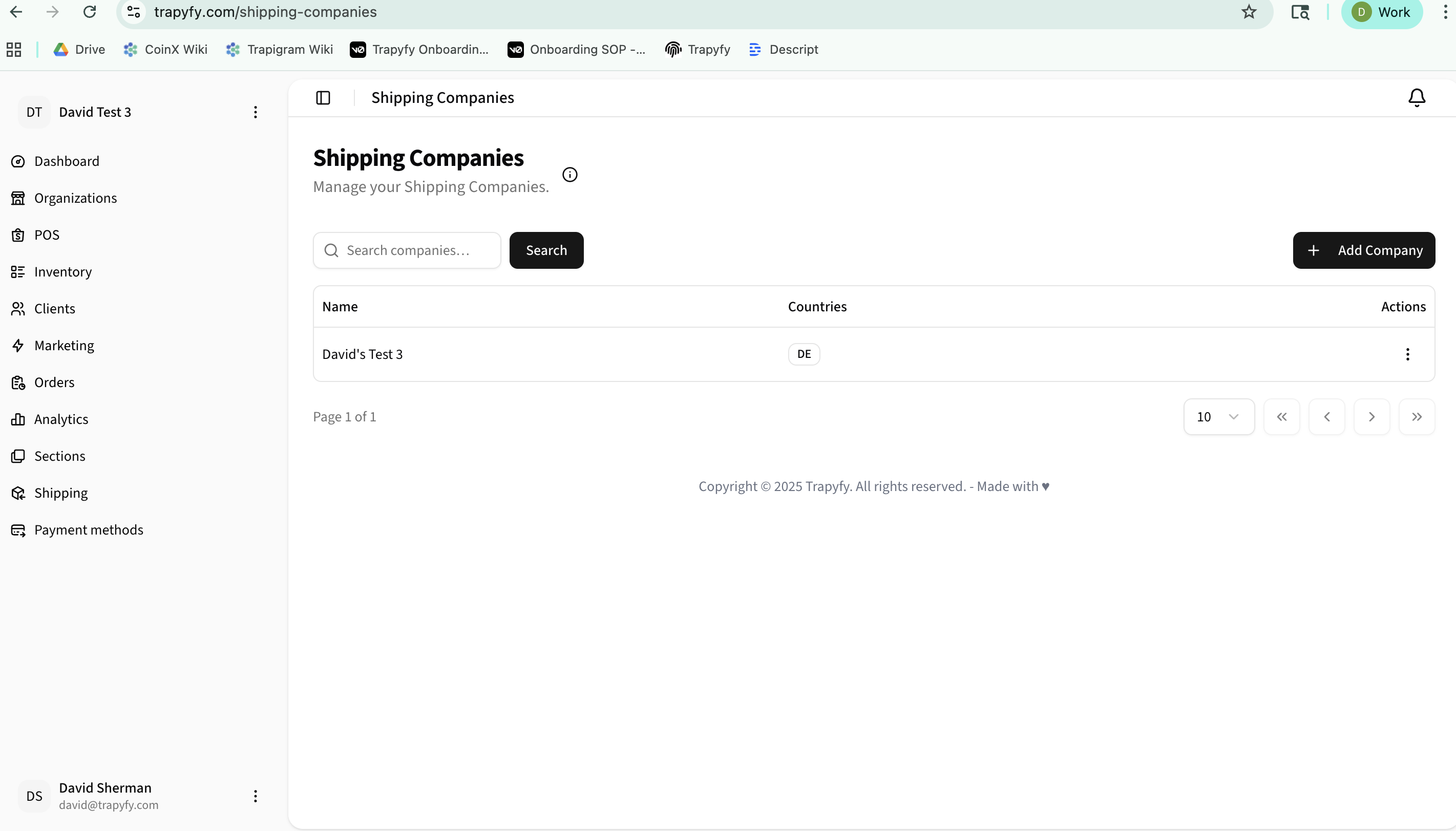
Adding a Shipping Company
Click "Add Company" to register a new carrier service:
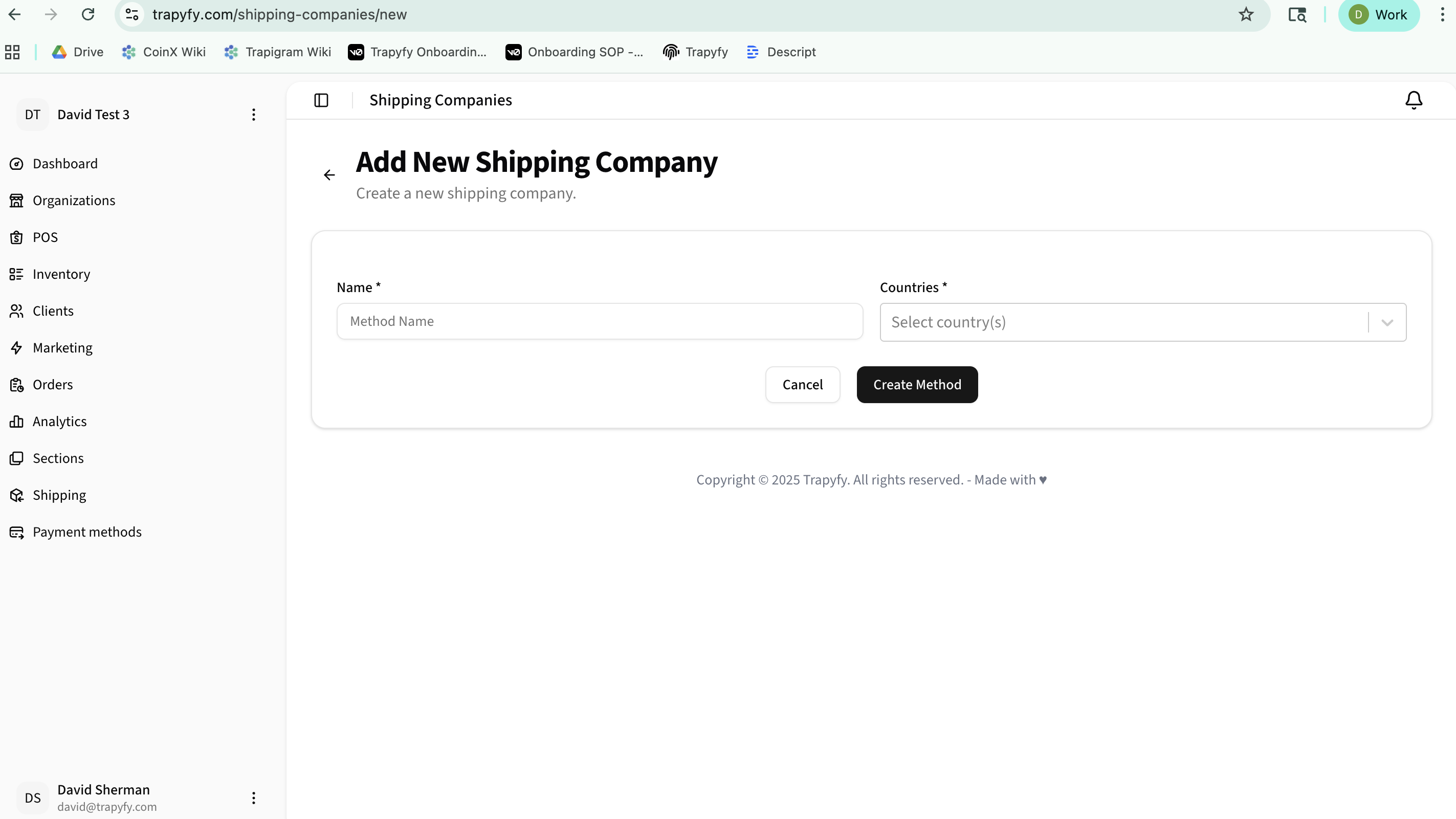
- Name: Carrier name (e.g., "FedEx", "DHL", "USPS")
- Countries: Select which countries this carrier operates in
Key Features
- Multi-Country Support: Configure different shipping options for different regions
- Tiered Pricing: Offer discounted or free shipping based on order value
- Order Integration: Customers see available shipping methods at checkout with calculated costs
- Tracking Management: Assign tracking numbers and carriers when orders are fulfilled
- Search & Filter: Quickly find shipping methods or companies using the search bar
Important: Make sure to configure at least one shipping method before processing orders. The system will prompt customers to select a shipping option during checkout.
Common mistakes
No shipping method for the country
Add a shipping method and assign the customer's country to it.
Shipping method inactive
Open the shipping method and confirm it is set to active.
Warehouse country mismatch
The warehouse serving the customer must be assigned to their country. Check warehouse country settings.
Supplier product not available in selected country
Shared supplier products may only be available in countries the supplier has configured. Confirm with the supplier.
Shipping method offered but not fulfillable
Ensure a shipping company (carrier) is set up for the relevant country and can actually serve the delivery region.
Related Workflows
Fulfillment and shipping workflow
Product weight and dimensions
Shipping requirements for launch
Shipping performance monitoring
Need help?
Email [email protected] with your merchant name, store or order reference, screenshots or error messages, and a short description of the issue.