
Product Reports
Track product performance, inventory levels, and catalog health.
In plain words
These reports answer the two product questions that matter: what is selling, and what is just sitting there taking up space. One tells you what to reorder, the other tells you what to discount.
Why this matters
- Identifies top-performing products
- Highlights low stock requiring reorder
- Supports inventory planning decisions
- Enables catalog optimization
Overview
Product reports provide visibility into catalog performance, helping merchants make data-driven inventory and product decisions.
Product reporting areas
Product reporting can help merchants monitor product performance, inventory health, catalog quality, and replenishment priorities.
Product Performance
Sales and order data by product, including units sold, SKU, and quantity sold.
Inventory Status
Inventory reporting can help merchants monitor current stock quantities, low-stock risks, and out-of-stock products.
Catalog Health
Catalog reporting can help merchants review active vs inactive products, missing images, and incomplete product information.
Product Performance report
Product Performance shows quantity sold by product and SKU over a selected date range. Use it to identify best-selling products, slower-moving items, and replenishment priorities. Merchants can filter by custom date range and open individual product details from the table.
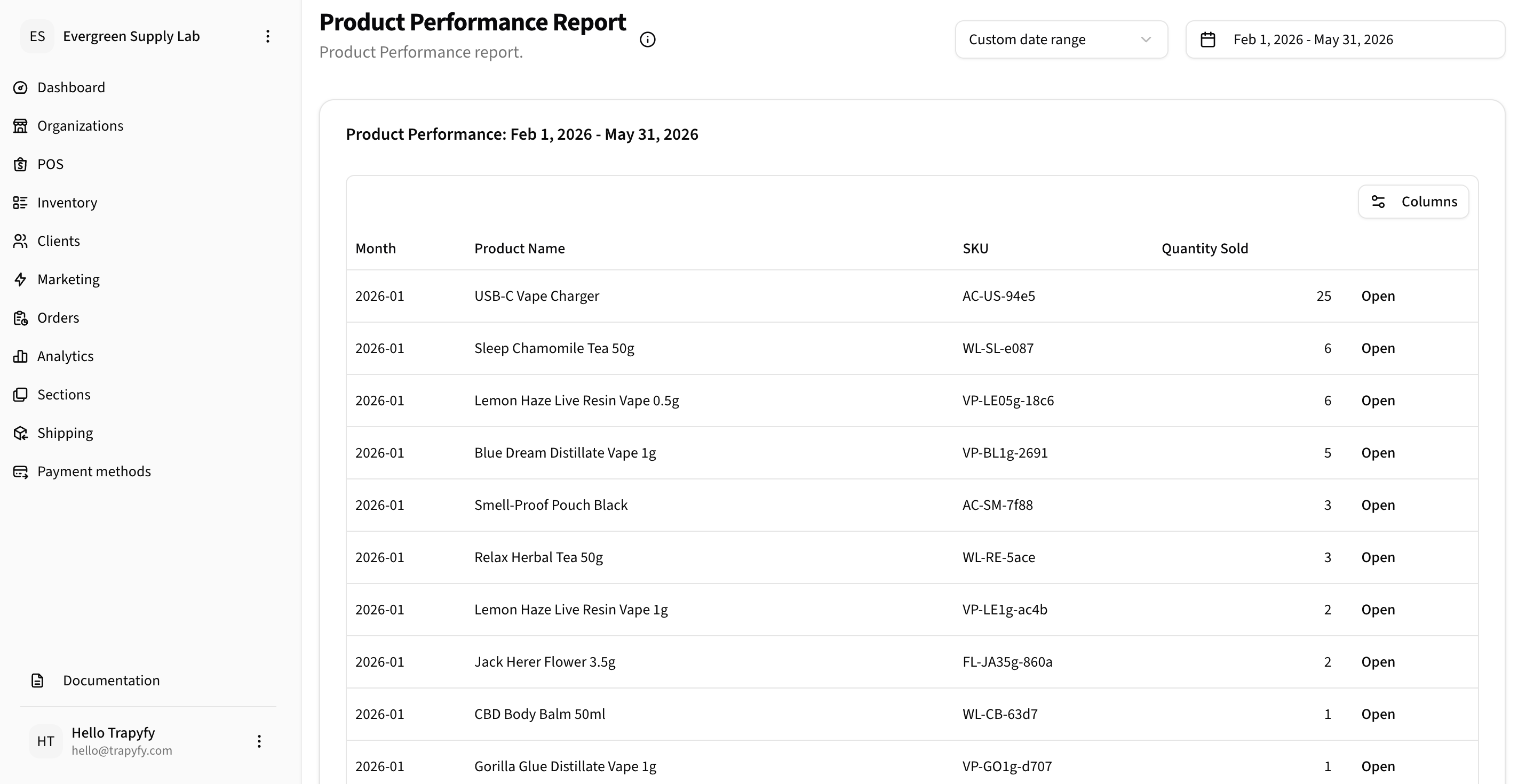
Use Product Performance to review product-level sales volume, SKUs, and best-selling items.
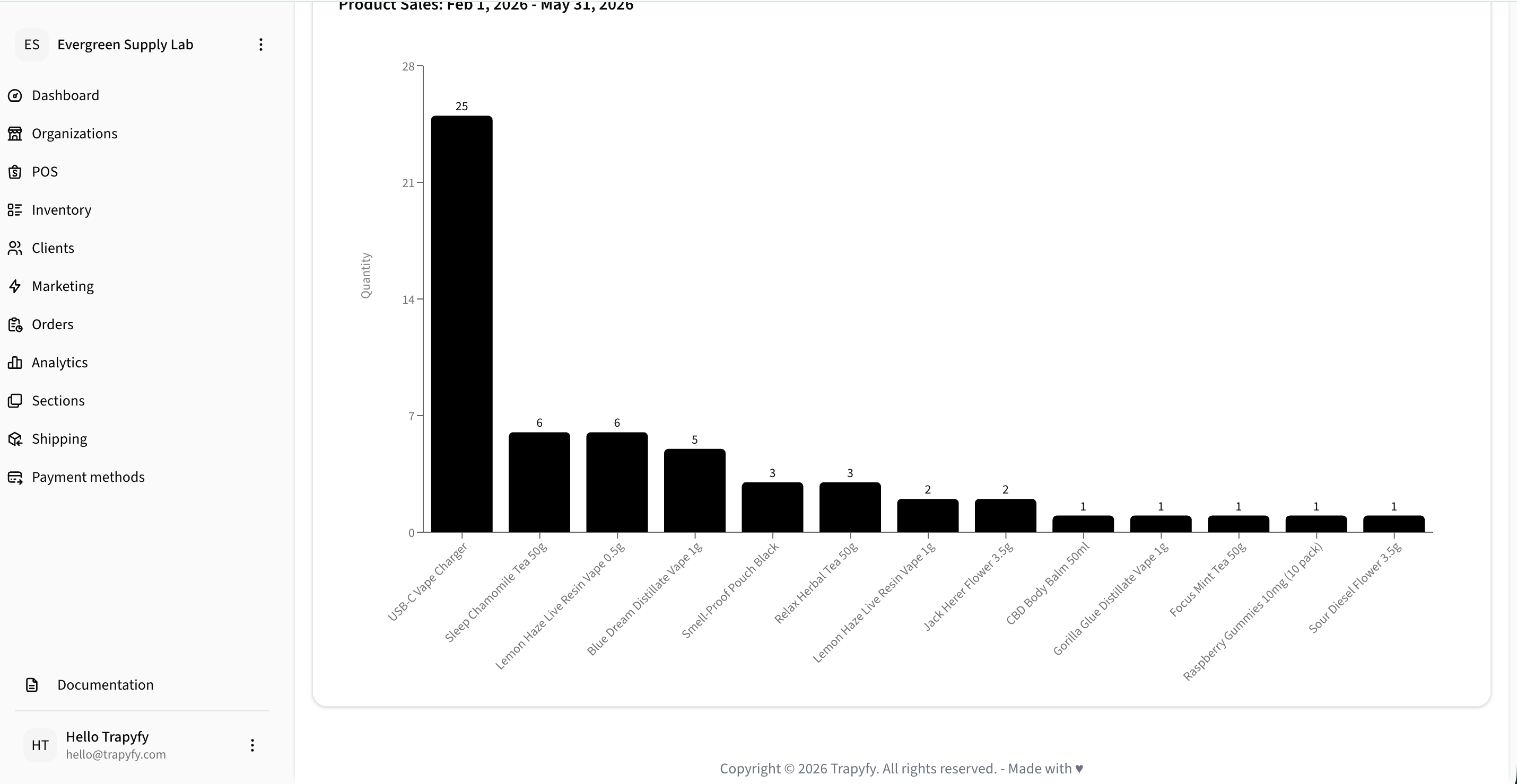
Product sales charts make it easier to compare quantity sold across products and identify top-performing and slower-moving items.
Use product reports to identify inventory replenishment needs before stock runs out.
Related workflows
Need help?
Email [email protected] with your merchant name, product or store reference, screenshots or error messages, and a short description of the issue.