
Niftipay Integration
Niftipay powers crypto payments, fiat card payments, QR checkout, and integrated checkout experiences within Trapyfy. Merchants configure all Niftipay settings directly inside the Trapyfy Payment Methods section.
In plain words
A payment method is a way for a customer to hand money over: crypto, card, or a QR code. Switch on the ones that suit your customers and your country; the ones you leave off are never offered at checkout.
Watch this walkthrough for a quick overview of the workflow.
Payment Methods list
Go to Payment methods in the sidebar to view and manage all payment methods. Each method shows its active status and POS visibility. Niftipay is the primary integrated method — the others (PayPal, Bank transfer, Cash on delivery) are manual or offline methods.
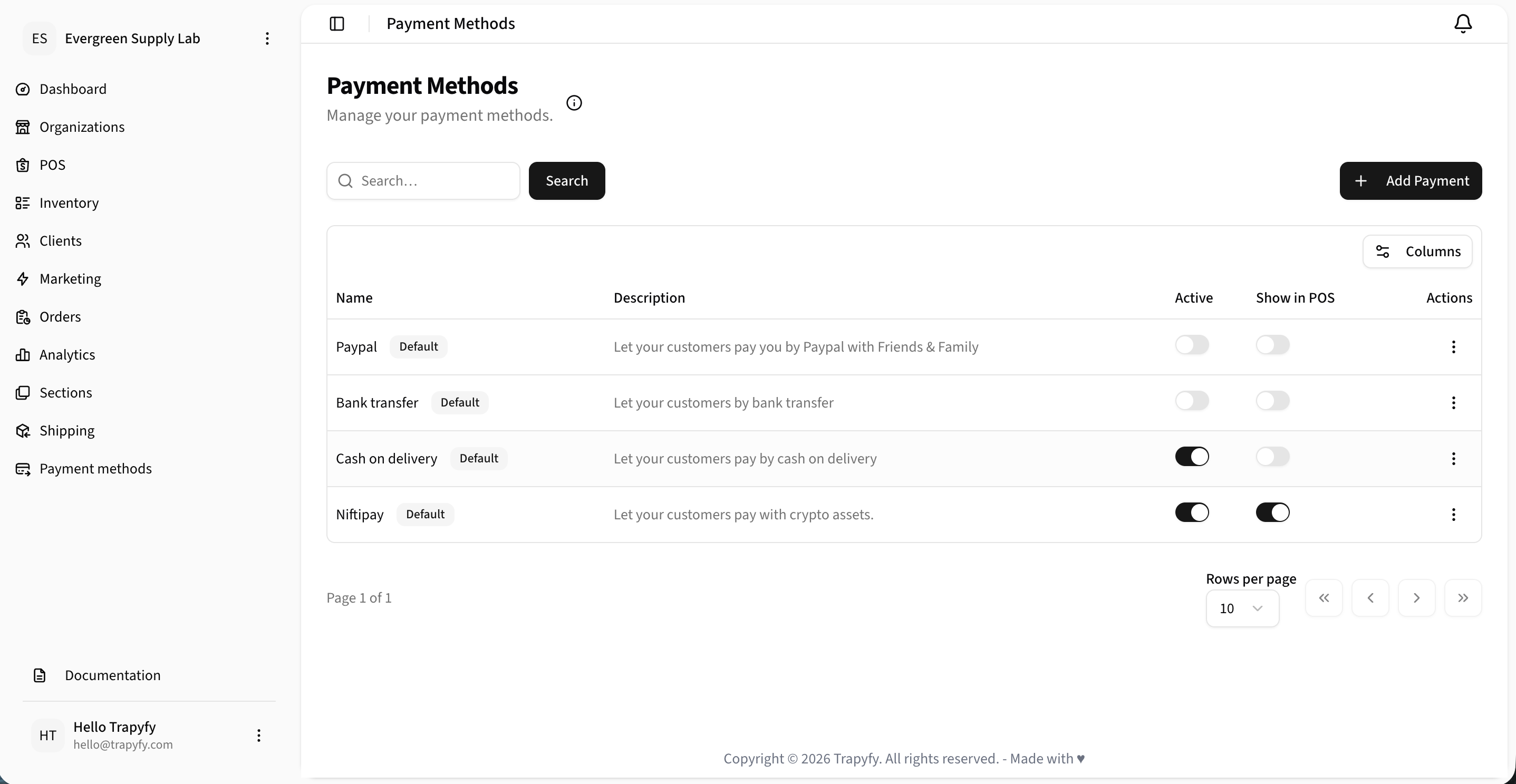
Each method can be independently activated and shown or hidden in POS and kiosk checkout.
Activating Niftipay
To activate Niftipay-powered payments in Trapyfy:
- Open the Niftipay payment method.
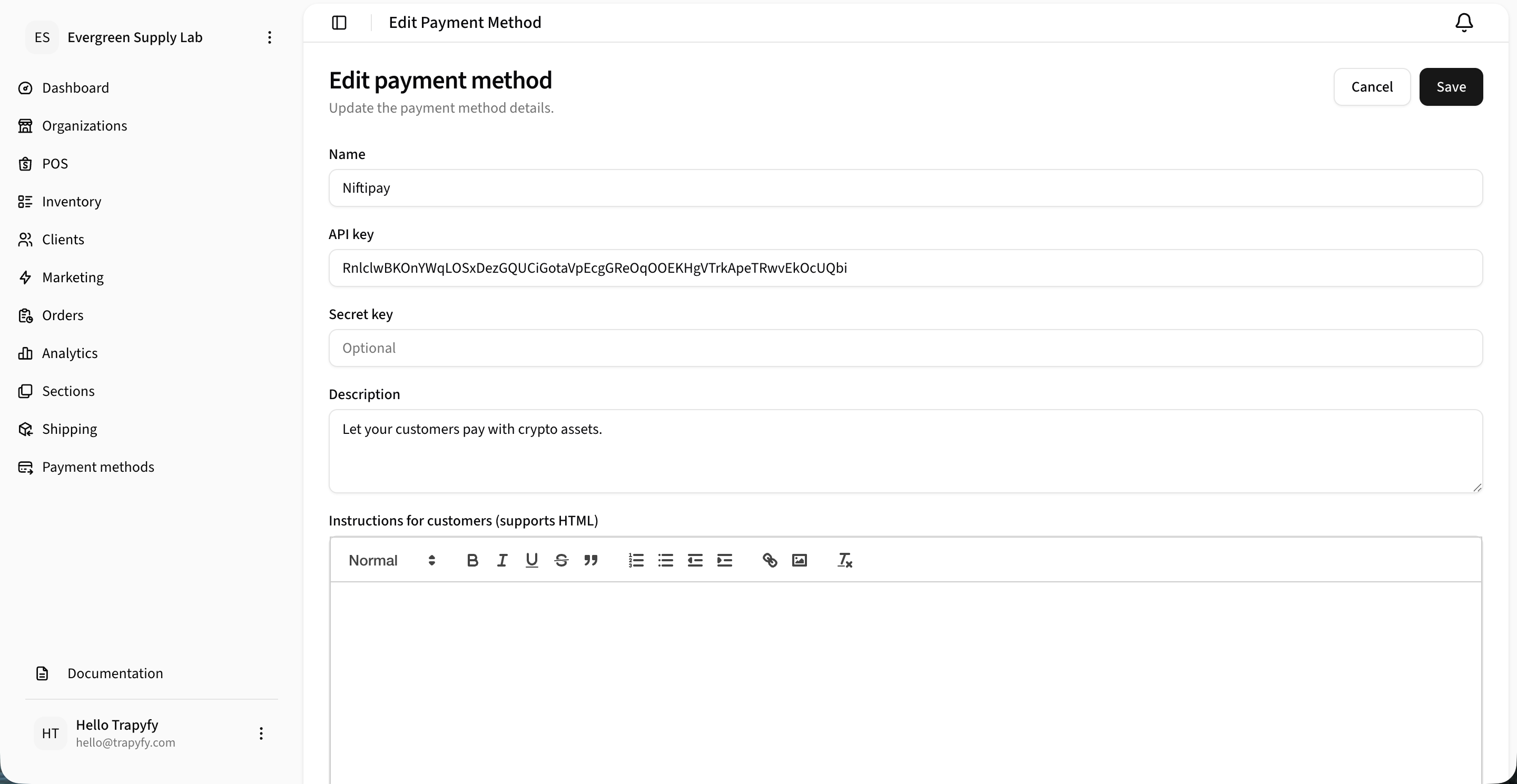
- Paste the Niftipay API key from your Niftipay merchant account into the API key field.
- Save the payment method.
- Enable the method from the Payment Methods list.
- Enable Show in POS only if the payment method should appear during a physical checkout flow, such as POS or kiosk checkout.
Crypto payments
Enable crypto payments to allow customers to pay with cryptocurrency. Each coin can be individually toggled. Crypto payments are confirmed once the blockchain transaction is successfully cleared and confirmed on-chain.
The supported asset list is pulled live from Niftipay, so it always matches Niftipay's current coverage. See the Niftipay supported assets for the authoritative list.
Crypto payment invoices expire after 12 hours. If a customer does not complete payment within that window, a new invoice must be generated.
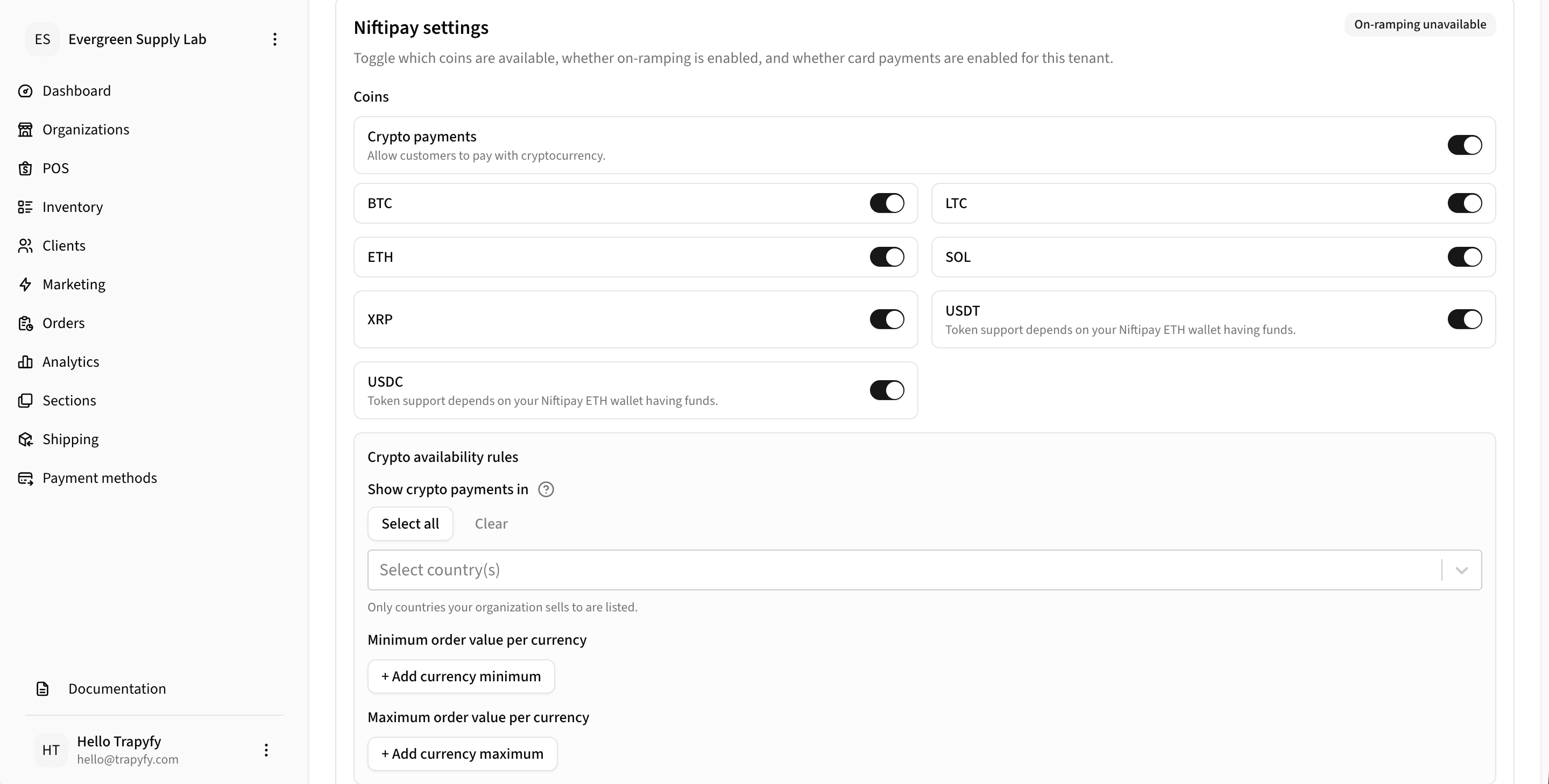
USDT and USDC token support depends on your Niftipay ETH wallet having sufficient funds to cover gas fees.
Card payments
Card payments allow customers to pay by fiat card at checkout. Requirements and key details:
- Niftipay API key must be saved in the Trapyfy payment method
- A USDT ERC20 payout wallet must be configured for settlements
- Card payment payouts settle on the Niftipay settlement schedule
- Card payments can be restricted to specific countries
- Minimums and maximums can be set per currency for any payment type
- Each payment type (crypto, card) can be individually enabled or disabled
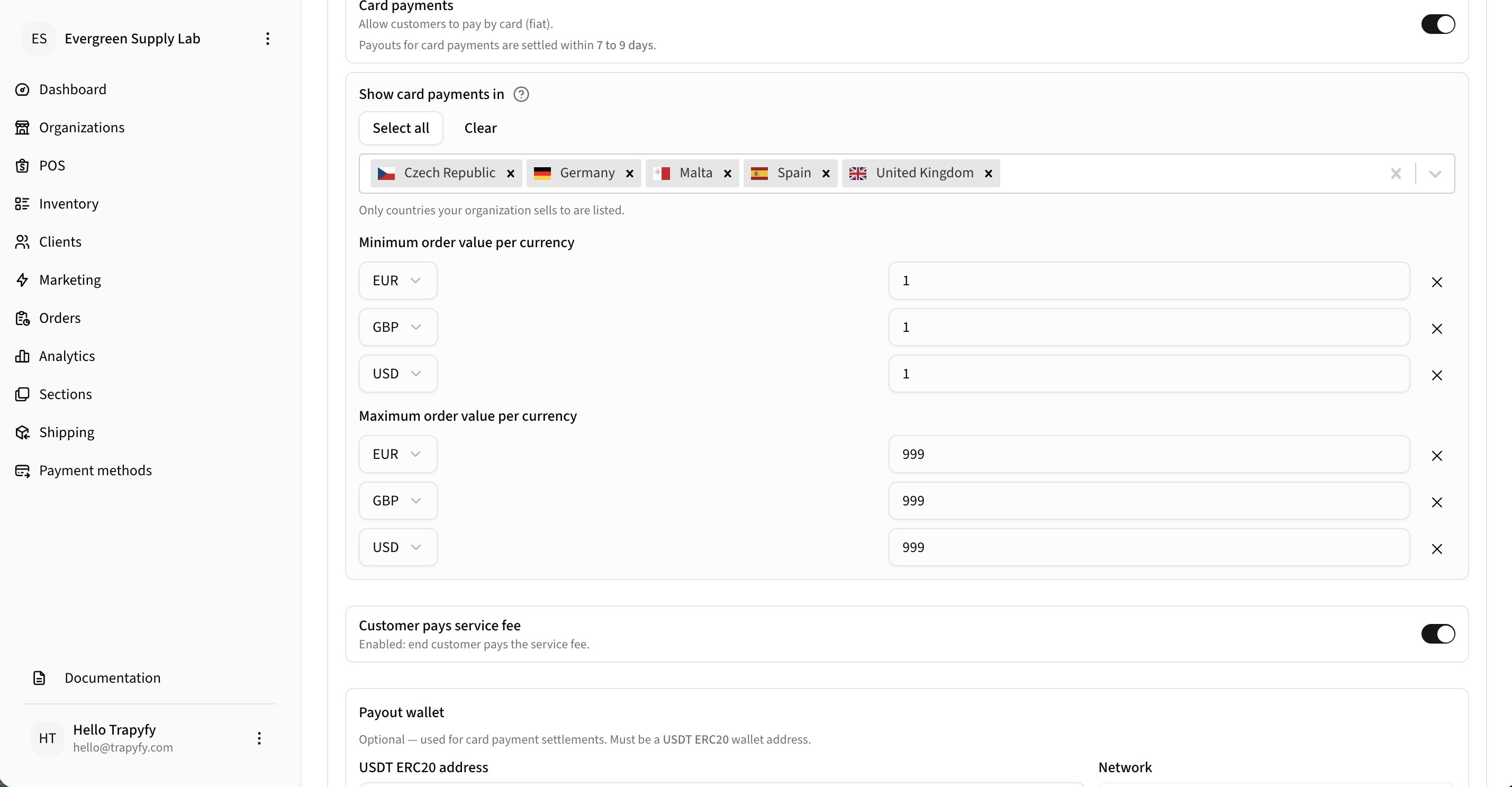
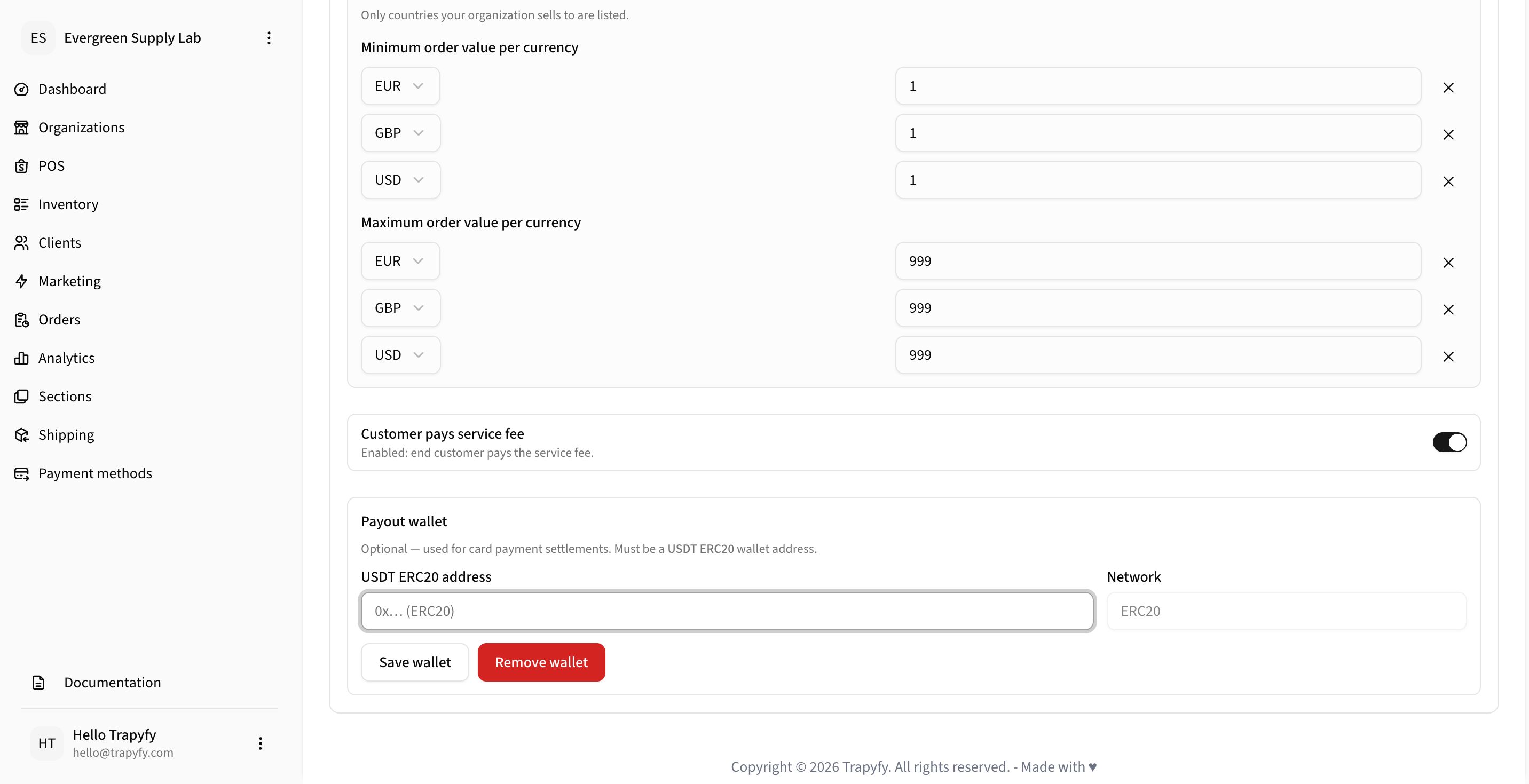
A payout wallet may be required for card payment settlement configuration where enabled.
EU restriction
Card fees cannot be passed onto customers in EU countries. The "Customer pays service fee" option is only applicable to non-EU markets.
Availability rules
Payment methods can be limited by country. Only countries your organisation sells to are listed. Leaving the country selector empty will show the method in all supported countries. Minimums and maximums can be configured per currency to control when each payment method is offered.
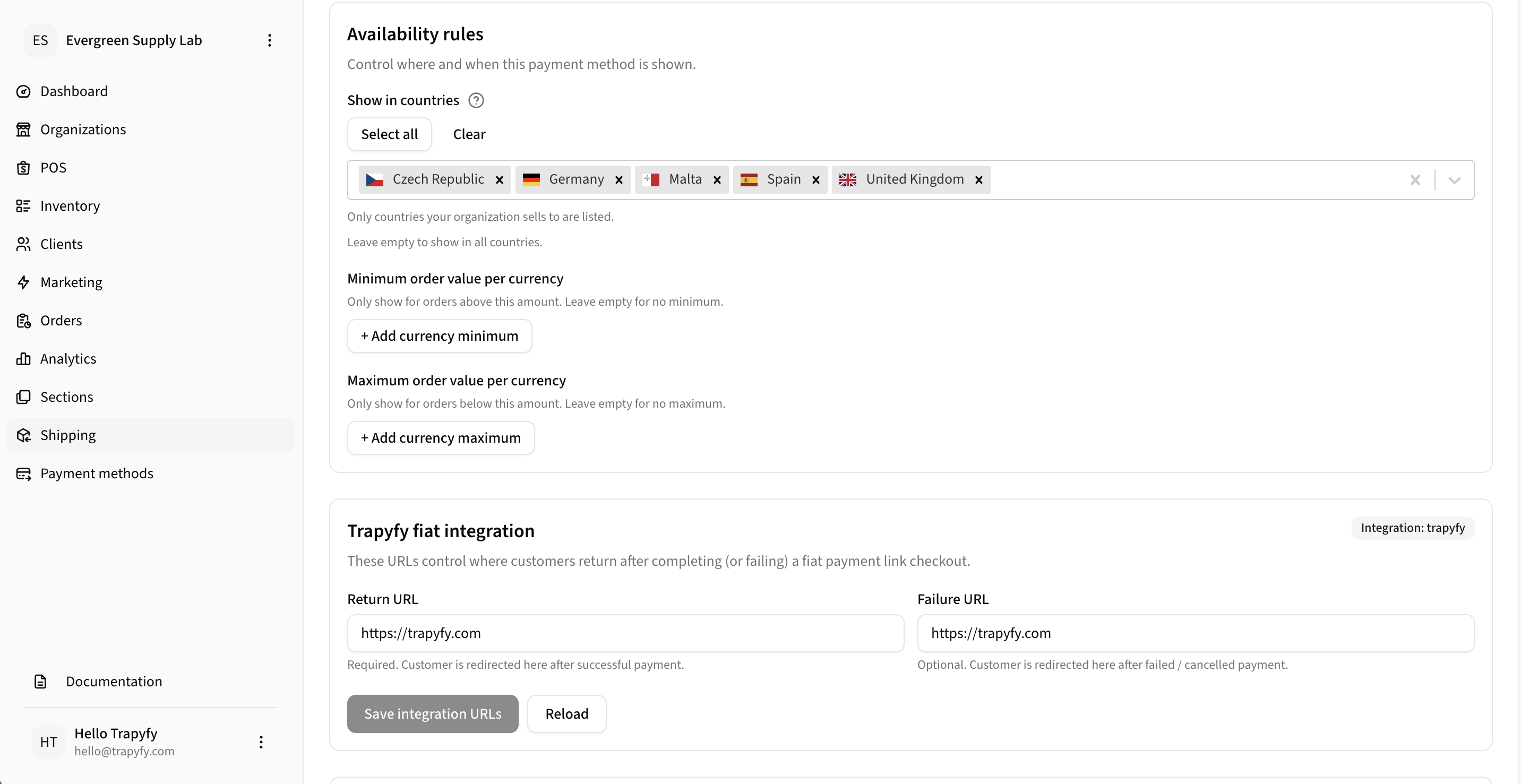
Trapyfy fiat integration
These URLs control where customers are redirected after completing or failing a fiat payment link checkout.
Return URL
Required. Customer is redirected here after a successful payment.
Failure URL
Optional. Customer is redirected here after a failed or cancelled payment attempt.
Click Save integration URLs after updating either URL field.
POS and kiosk payment visibility
Payment methods can be shown or hidden in POS and kiosk environments independently of their online checkout visibility. Toggle Show in POS on each method to control which options appear during in-person or self-service checkout. Country availability rules still apply.
For full kiosk setup including pairing devices and configuring inventory, see the POS and Kiosk guide.
Related pages
Need help?
Email [email protected] with your merchant name, store or payment reference, screenshots or error messages, and a short description of the issue.